DPI stands for dots per inch: the number of ink dots a printer lays down in every inch of paper. More dots make a sharper print. Photo prints you hold in your hand need around 300 DPI. Posters and acrylic prints need 150–200. Canvas needs only 100–150, because you view it from further away.
Most people meet DPI for the first time at the worst possible moment: a warning pops up during checkout saying the photo resolution is too low, and suddenly a three-letter acronym stands between them and a birthday present. The jargon makes it sound like camera science. It is not.
This guide explains DPI in plain English, gives you the real numbers for photo prints, posters, acrylic and canvas, and shows you a 30-second check you can do on your phone before you order anything. By the end, you will know exactly which of your photos can go big and which should stay small.
The short version
-
DPI means dots per inch. It measures how densely a printer packs ink dots onto paper. More dots per inch means finer detail.
-
300 DPI is the standard for prints you hold. Photo prints, documents and photo book pages viewed at arm's length look their best at 300 DPI.
-
Big prints need fewer dots, not more. Posters and acrylic prints look sharp at 150–200 DPI, and canvas at 100–150 DPI, because nobody views a wall print from 30 centimetres away.
-
A normal phone photo goes further than you think. A standard 12-megapixel photo prints cleanly at 60×40cm on canvas with room to spare.
-
Messaging apps are the silent killer. Photos sent through WhatsApp and similar apps are compressed and lose most of their pixels. Always print from the original file.
-
You cannot add real detail afterwards. Raising the DPI number of a small file does not create detail that was never captured. The fix is printing at a suitable size, not editing the number.
What does DPI actually mean?
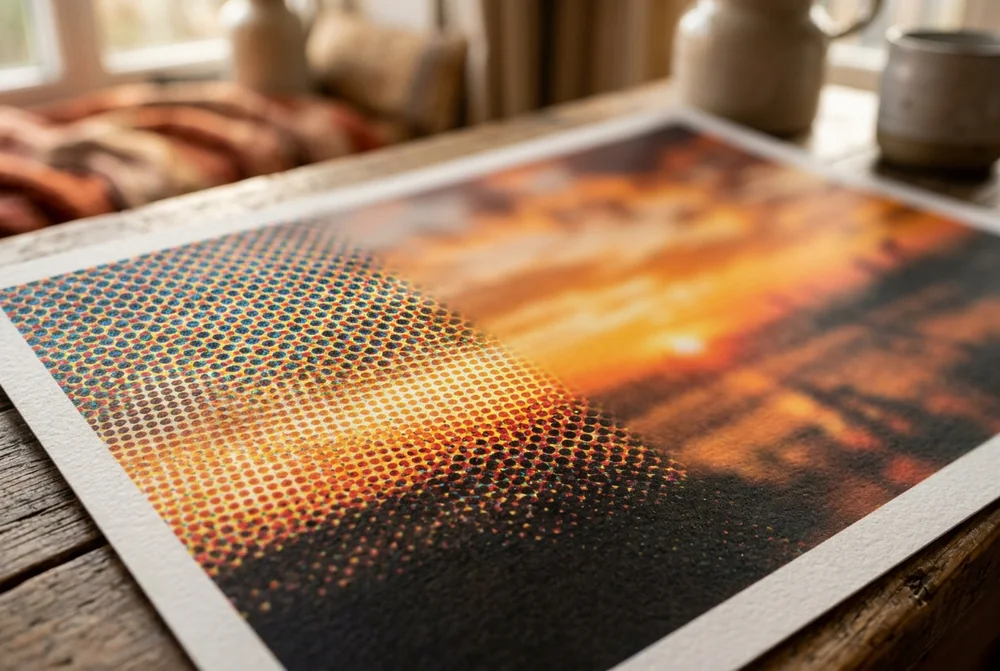
Think of a printed photo as a mosaic. Stand close to a mosaic and you see thousands of tiny tiles; step back and the tiles merge into a picture. A print works the same way, except the tiles are microscopic dots of ink. DPI simply counts how many of those dots fit into one inch.
At 300 DPI, a single inch of paper holds 300 dots across and 300 down – 90,000 dots in a square inch. At that density the human eye cannot pick out individual dots at reading distance, so the image looks continuous and sharp. Drop to 72 DPI and the same square inch holds fewer than 5,200 dots. Up close, the picture looks blocky and soft.
The key insight, and the one most guides skip, is that sharpness depends on viewing distance as much as dot count. Dots that are obvious at 30 centimetres are invisible at 3 metres. That is why the answer to "what DPI do I need" is always another question: what are you printing, and how far away will people stand?
DPI vs PPI in one minute
You will see both terms used, often interchangeably. Strictly, PPI (pixels per inch) describes the digital image – how many pixels of your photo are assigned to each inch of the print. DPI (dots per inch) describes the printer – how many physical ink dots it lays down.
In practice, when a printing company asks for "300 DPI", they mean 300 pixels of your image for every inch of paper. The maths is the same either way: divide your photo's pixel width by the print's width in inches, and you have your effective DPI. A 4032-pixel-wide photo printed 10 inches wide works out at just over 400 DPI – more than enough.
What DPI do you need? The real numbers by print type
Different products need different densities, because they are viewed from different distances. Here are the working numbers we use in production:
| Print type | DPI to aim for | Typical viewing distance |
|---|
| Documents, leaflets, photo book pages | 300 DPI | 30–50cm, in the hand |
| Photo prints (9×12 to 20×30cm) | 300 DPI | 30–50cm, in the hand |
| Posters and acrylic prints | 150–200 DPI | 1–2 metres, on the wall |
| Canvas prints | 100–150 DPI | 2 metres or more, on the wall |
| Billboards | 20–50 DPI | 10 metres or more |
Read that table bottom-up and the pattern is obvious: the bigger the print, the further away you stand, and the fewer dots per inch you need. A billboard viewed from a motorway can get away with 20 DPI. Your holiday photo in a frame on the desk cannot.
Why 300 DPI is not always the answer
"Always use 300 DPI" is the most repeated rule in printing, and it is only half true. The figure comes from commercial magazine and book production, where pages are read at arm's length and presses are calibrated around that density. For handheld print, it remains the right target.
But applying it to everything wastes effort and rules out perfectly printable photos. Institutions that digitise for a living make the same distinction: The National Archives' digitisation guidance sets 300 PPI as the minimum for ordinary documents but 600 PPI for scanning photographs – because the right number always depends on the job, not on a universal rule.
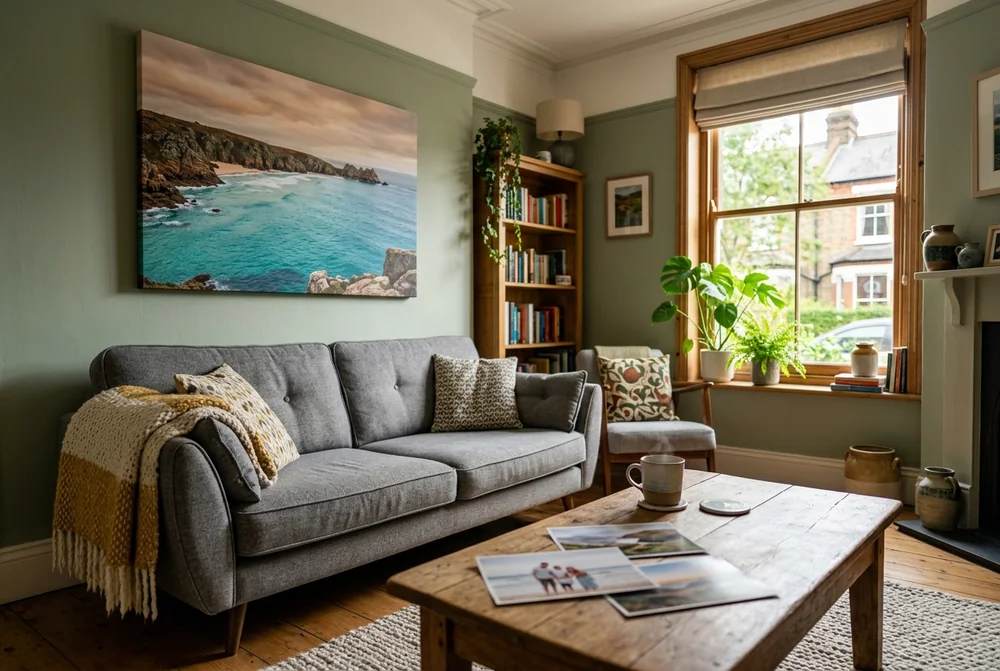
For wall art, the job is different again. A 100×70cm canvas viewed from the sofa does not need 300 DPI, and demanding it would mean only professional medium-format cameras could ever print large. In our production experience, canvas printed from 100–150 DPI files looks sharp at normal viewing distance, and posters hold up well from 150 DPI. The texture of canvas fabric also softens fine detail, which makes it the most forgiving material of all.

Photo prints, canvas and posters: the numbers that matter
Here is how the rules play out on real products, with the specifications behind them. Standard photo prints run from 9×12cm up to 20×30cm and cost from £0.07 per print, produced with 12-colour printing on premium photo paper. These are handheld prints, so 300 DPI is the target: a 20×30cm print wants roughly 2,400×3,600 pixels. Any modern phone clears that easily.
Personalised photo poster prints go up to A0 on art-grade 275g/m² photo paper. Because a poster hangs on a wall and is viewed from a metre or two, 150–200 DPI is enough. An A2 poster (42×59.4cm) at 150 DPI needs about 2,480×3,508 pixels – again, well within reach of a standard phone photo. Acrylic photo prints follow the same 150–200 DPI rule, though the glossy acrylic surface rewards a crisp, well-lit original.
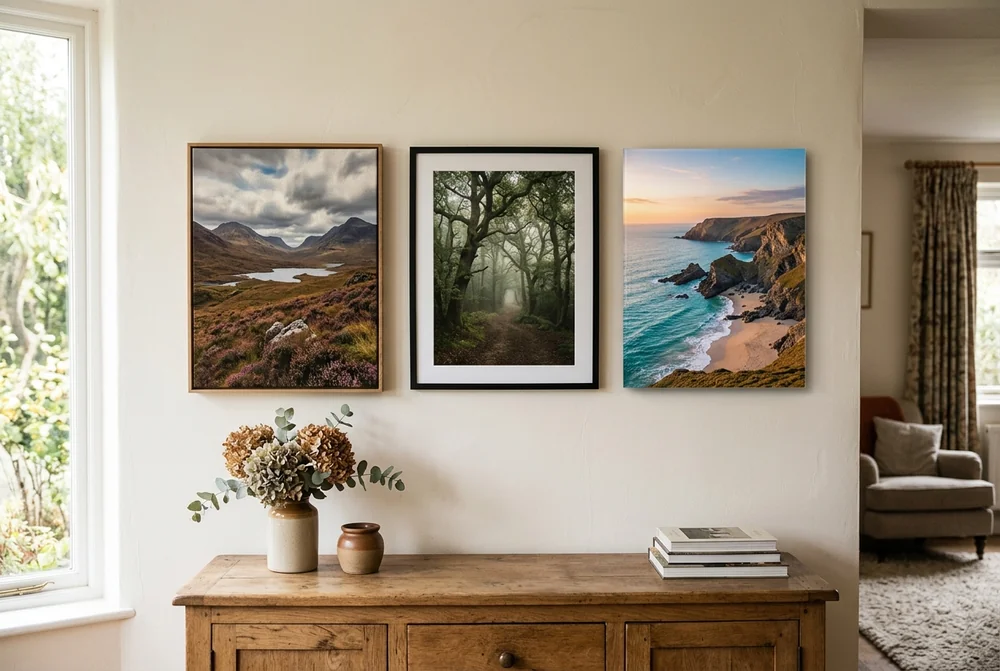
Canvas is the most forgiving format. Canvas prints start from £4.50, printed with HP latex inks and hand-stretched over 2cm FSC-certified pine frames (4cm double-depth XXL frames for large formats). The woven texture hides minor softness, so 100–150 DPI prints cleanly. A 12-megapixel photo – 4032×3024 pixels – printed at 60×40cm works out at roughly 170 DPI, comfortably above the canvas threshold. Our guide to the best resolution for canvas prints covers the size-by-size detail.
Is your phone photo good enough? A 30-second check
You do not need software or a calculator. Your phone already stores the answer.
-
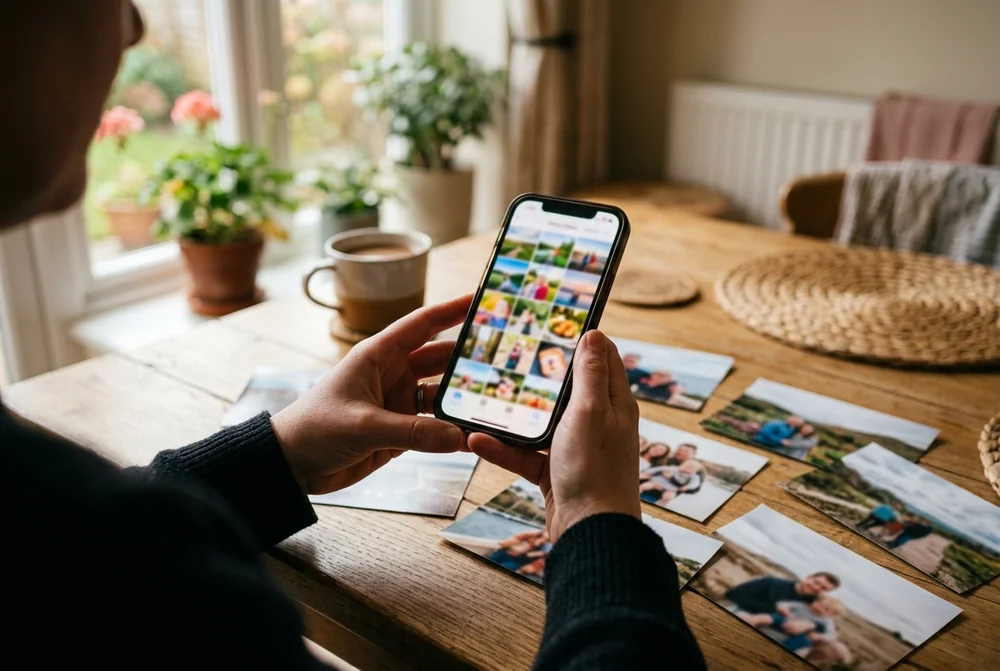
On iPhone: open the photo in the Photos app and tap the small information button (or swipe up). You will see the megapixel count and the pixel dimensions, for example "12 MP · 4032×3024".
-
On Android: open the photo in Google Photos or your gallery app, swipe up or tap the three-dot menu, then Details. The pixel dimensions appear alongside the file size, for example "4000×3000".
-
Then do one division: pixel width ÷ print width in inches = your DPI. A 4032-pixel photo on a 24-inch (60cm) canvas gives 4032 ÷ 24 = 168 DPI. Above 100–150 for canvas, above 150 for posters, above 300 for handheld prints, and you are safe.
As a rule of thumb: anything from a phone made in the last decade, shot on the main camera and stored at full quality, prints beautifully up to 80×60cm on canvas. The photos that fail are almost never camera photos. They are screenshots, images saved from social media, heavy crops, and – the biggest culprit of all – photos received through messaging apps.
The WhatsApp trap
Here is the mistake that catches people out most often. A relative takes a lovely photo, sends it over WhatsApp, and you order a large print from the version that arrived in the chat. It looks fine on your phone screen. The print arrives soft and blurry.
The reason is compression. When you send an image as a normal photo, messaging apps shrink it aggressively to save data – stripping away a large share of the original pixels. Screens are low-resolution devices, so the loss is invisible in the chat. Paper is not so kind. A file that has lost most of its pixels simply cannot supply enough dots for a big print.
The fix takes ten seconds. Ask the sender to share the photo as a document or file (WhatsApp: attach → Document), which skips the compression, or to send it by email, AirDrop or a cloud link. Then run the 30-second pixel check above on the file you actually received. If the dimensions match the original camera file, you are ready to print.
300 DPI vs 150 DPI vs 72 DPI: side by side
| 300 DPI | 150 DPI | 72 DPI |
|---|
| Sharpness in the hand | Razor sharp | Slightly soft up close | Visibly pixelated |
| Sharpness at 2 metres | Sharp | Sharp | Soft but passable |
| Best for | Photo prints, documents, photo books | Posters, acrylic, canvas | Screens; very large distant signage |
| Max print from a 12MP photo (4032×3024) | 34×26cm | 68×51cm | 142×107cm (screen use, not recommended for print) |
The table shows a division of labour rather than a single winner. 300 DPI is the gold standard where the print meets the eye at close range. 150 DPI is not a compromise on wall art – at viewing distance it is indistinguishable – and it doubles the maximum print size from the same photo. 72 DPI belongs on screens, where it began life as a display standard, and should stay there.
Which size can you print? A worked example
Take the most common file in Britain: a 12-megapixel phone photo, 4032×3024 pixels. Divide the pixels by the target DPI and you get the maximum clean print size.
-
At 300 DPI (handheld): 4032 ÷ 300 = 13.4 inches, so about 34×26cm. That covers every standard photo print size and a full photo book page.
-
At 150 DPI (poster or acrylic): 4032 ÷ 150 = 26.9 inches, so about 68×51cm. An A2 poster fits with room to spare.
-
At 100 DPI (canvas): 4032 ÷ 100 = 40.3 inches, so about 102×77cm. A statement canvas above the sofa, from one phone photo.
The same photo, three very different maximum sizes – and none of them required a professional camera. The product you choose matters more than the camera you own.
Can you increase the DPI of a photo?
You can change the number. You cannot conjure the detail. This is the most misunderstood part of the whole topic, so here is the honest breakdown:
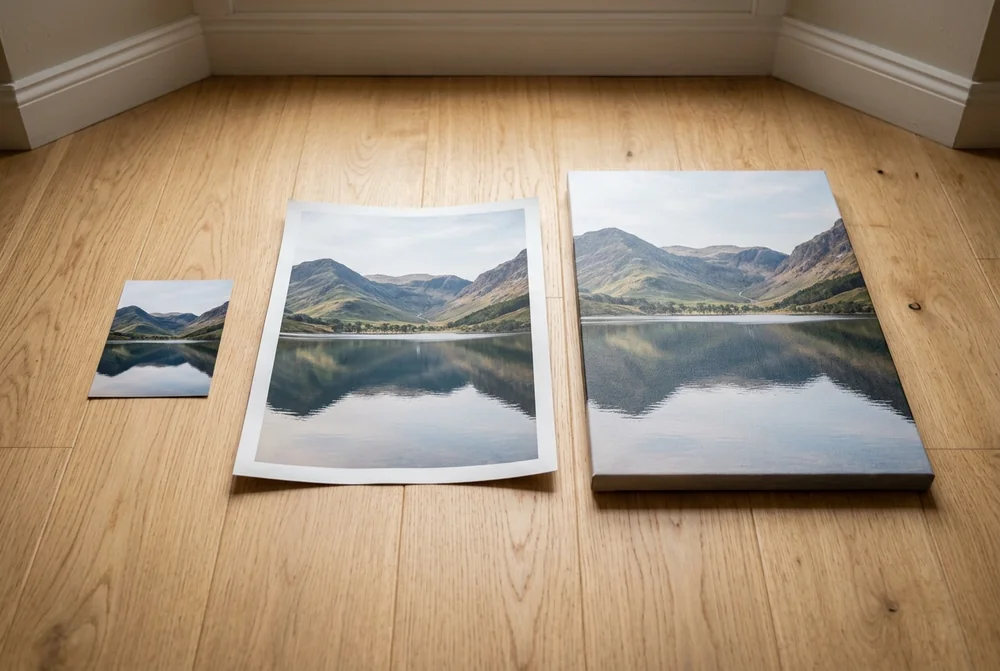
-
Relabelling does nothing. The DPI value stored in a file is only a suggestion for print size. Changing 72 to 300 in an editor without resampling alters the label, not the picture. The pixels – and the detail – stay exactly the same.
-
Resampling invents pixels. Upscaling tools add new pixels by averaging their neighbours. The file gets bigger; the photo gets no sharper. Fine detail such as faces, foliage and text usually looks worse, not better.
-
AI upscaling is an emergency tool. Modern AI upscalers can genuinely improve a hopeless file, but they invent plausible detail rather than recover real detail. Use them when the photo is irreplaceable and too small; do not rely on them as a workflow.
-
The real fixes are simpler. Print smaller, choose a more forgiving product such as canvas or 20×20cm photo tiles, or go back to the original full-quality file. Our guide on how to resize an image walks through the safe way to prepare a file for print.
A three-question test to settle it
Will the print be held or hung? Held (photo prints, photo books): aim for 300 DPI. Hung (poster, acrylic, canvas): 100–200 DPI is plenty.
Where did the file come from? Straight from the camera or a full-quality backup: almost certainly fine. From WhatsApp, a screenshot or social media: check the pixels before ordering, or get the original.
Does the pixel maths clear the bar? Pixel width ÷ print width in inches ≥ the DPI target for your product. If yes, order with confidence. If no, print smaller or pick canvas.
Answer those three and you never need to think about DPI again – which is, frankly, the goal.
Why Choose MYPICTURE Over Other UK Photo Printing Services?
MYPICTURE competes on value backed by specification: canvas from £4.50, photo prints from £0.07, free UK delivery over £49, and a Lowest Price Guarantee that beats any like-for-like UK price by 5% – in effect, we do the comparison shopping for you. Production uses HP latex inks, 300gsm+ canvas and FSC-certified pine stretcher frames, and every upload is checked against the resolution rules in this guide before printing, so a file that cannot print sharp is flagged before you pay.
| Buyer's Guide | MY-PICTURE | Snapfish | Photobox |
|---|
| Trust Pilot Ratings | 4.5/5 | 4.3/5 | 4.1/5 |
| Photo Prints (6×4") | from £0.07 | £0.08 | £0.13 |
| Canvas Prints (20×20 cm) | £4.50* | £9.49 | £14.99 |
| Photo Books (from) | £8.00 | £10.49 | £12.99 |
| Lowest Price Guarantee | Yes | No | No |
The practical takeaway: check your pixels with the 30-second test, pick the product that matches your file, and let the print house worry about the dots. Upload your photo to MYPICTURE and the resolution check runs automatically before you order.
Frequently asked questions
Is 600 DPI better than 300 DPI for printing?
Not for photos. At normal viewing distance the human eye cannot distinguish a 600 DPI photo print from a 300 DPI one, so the extra data adds file size without adding visible sharpness. 600 DPI earns its keep in two places: fine line art and text, and scanning old photographs, where the higher capture preserves detail for future enlargements.
Is 72 DPI good enough for printing?
No. 72 DPI is a screen standard, not a print standard. A photo printed at 72 DPI looks visibly pixelated in the hand. The one exception is very large signage viewed from far away. For anything you will hold or hang at home, aim for 300 DPI on photo prints and at least 100–150 DPI on canvas.
Which is clearer, 300 DPI or 1200 DPI?
Technically 1200 DPI lays down more dots, but for photographs the difference is invisible to the naked eye. Printer resolutions of 1200 DPI and above matter for crisp text edges and technical line work. For photo printing, a sharp 300 DPI file is the ceiling of what you can actually see, which is why it remains the industry standard.
Should I scan old photos at 300 or 600 DPI?
Scan at 600 DPI. The National Archives recommends 300 PPI for ordinary documents but 600 PPI for photographs, because a higher-resolution scan captures enough detail to reprint the photo larger than the original. Scanning a 10×15cm print at 600 DPI gives you roughly 2400×3600 pixels – enough for a sharp 20×30cm reprint.
How do I check the DPI of a photo?
Check the pixels, not the DPI label. On iPhone, open the photo and tap the information button to see dimensions such as 4032×3024. On Android, open Details in your gallery app. Then divide the pixel width by your print width in inches. If the result meets the target – 300 for handheld prints, 150–200 for posters, 100–150 for canvas – the photo will print sharp.