The Ultimate Guide to Creating a Personalised Photo Album
 by Sophie Hartley– 4 years of experience in personalised gifts and home styling
Every photograph tells a story. A candid shot from a holiday in Cornwall, a blurry but beloved snap of a toddler's first steps, a quiet moment captured at a family gathering. These images hold emotions that words alone cannot express. Yet most of them sit forgotten on a phone, buried under thousands of screenshots and duplicates.
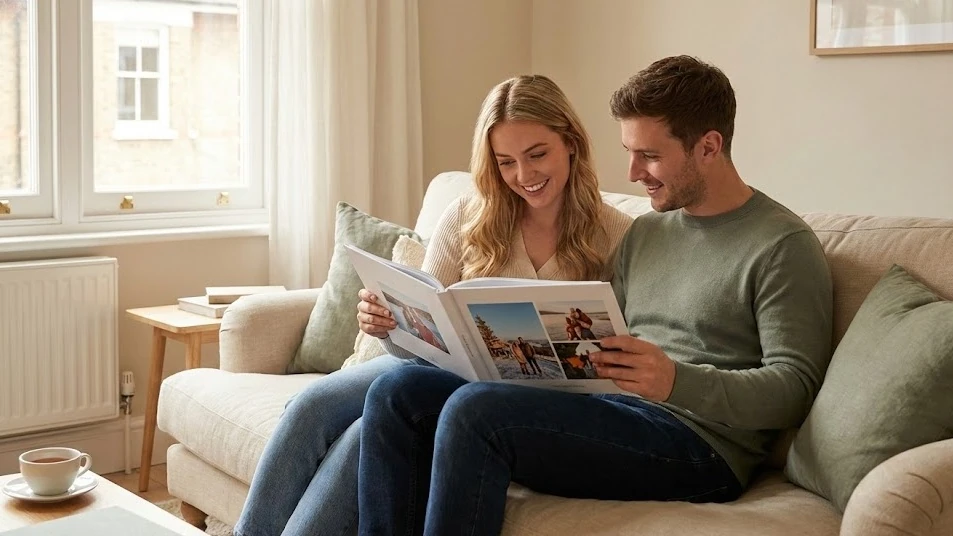
A personalised photo album changes that. It transforms scattered digital files into something you can hold, flip through, and share with the people who matter most.
Creating your own photo album is one of the most rewarding creative projects you can take on. Whether you are putting together a wedding photo album to celebrate your big day, a baby photo album to document your little one's milestones, or simply a collection of your favourite travel memories, the process itself becomes part of the joy. You get to relive each moment as you choose which photos to include, decide on layouts, and add personal touches that make the finished book uniquely yours.
This guide walks you through everything you need to know. From choosing the right format and selecting your best images to designing layouts and ordering a professionally printed photo book in the UK, you will find practical advice at every step. By the end, you will feel confident enough to create a photo album that looks stunning and tells your story beautifully.
In this article, you'll discover:
- What makes a personalised photo album different from a standard photo book?
- How do you choose the best photos for a wedding photo album or baby photo album?
- Which photo album format and size works best for your needs?
- How can you design layouts that look professional without any design experience?
- What are the steps to create your own photo book from start to finish?
- How do printed photo albums compare to digital photo books?
- What tips will help you write captions and add personal touches?
- Where can you order the best photo books in the UK with fast delivery?
At a Glance: A personalised photo album lets you curate your most cherished memories into a beautifully printed book you can hold, share, and treasure for decades. This guide covers photo selection, layout design, format choices, and step-by-step instructions for creating a professional-quality photo book, whether it is for a wedding, a new baby, family memories, or travel adventures.
Why a Personalised Photo Album Still Matters in a Digital World
We live in an age where thousands of photos sit on cloud storage, rarely looked at twice. Social media feeds scroll past in seconds. A printed photo album offers something entirely different. It slows you down. It invites you to sit, to turn pages, and to linger on moments that might otherwise vanish into the digital noise.
There is genuine science behind this, too. Studies from the University of Southampton have shown that revisiting physical photographs strengthens emotional connections to memories more effectively than viewing them on a screen. The tactile experience of touching paper, the slight weight of a hardcover book in your hands, and the visual impact of a beautifully printed image all contribute to a richer, more meaningful interaction with your past.
A personalised photo album also makes a remarkable gift. Think about Mother's Day, a first wedding anniversary, or a grandparent's milestone birthday. A book of pictures capturing shared experiences carries an emotional weight that no shop-bought present can match. It says: "These moments with you matter enough to preserve."
Beyond sentiment, printed photo albums serve a practical purpose. Digital files can be lost to corrupted hard drives, expired cloud subscriptions, or outdated file formats. A well-made photo book, printed on archival-quality paper, can last for generations. Your grandchildren will be able to hold the same album of photographs that you created today.
Choosing the Perfect Photos for Your Photo Album Book
Selecting which images to include is often the most challenging part of creating a photo album. Most people have far too many photos and struggle to narrow them down. The key is to think like a storyteller, not an archivist. You are not trying to include every single image. You are curating a narrative.
Start With a Theme or Timeline
Before you open your photo library, decide what story your album tells. A wedding photo album follows a natural chronological arc: preparations, ceremony, reception, and evening celebrations. A baby photo album might track the first twelve months. A travel photo book could follow an itinerary. Having a clear structure makes the selection process far easier.
If your album covers a broader period, such as a "Year in Review" or a family album spanning several occasions, group your photos by event or season first. This prevents the book from feeling disjointed and gives each section its own identity within the larger story.
Quality Over Quantity
A common mistake is cramming too many photos onto each page. This dilutes the impact of your strongest images. Aim for 2 to 4 photos per double-page spread for most layouts, with occasional full-page hero shots for your very best images. A 6x4 photo album format works well for casual collections, but if you want your images to truly shine, larger formats give each photo the space it deserves.
Check each photo for sharpness, lighting, and composition before including it. A slightly blurry shot might hold sentimental value, but if you have a sharper version of a similar moment, choose the better-quality image. Your printed photo book will only look as good as the source files you provide.
Tip: Sort your photos into three folders: "Definitely," "Maybe," and "No." Work through the "Maybe" folder last, adding images only if they genuinely strengthen the story.
Wedding Photo Album Ideas That Capture Every Moment
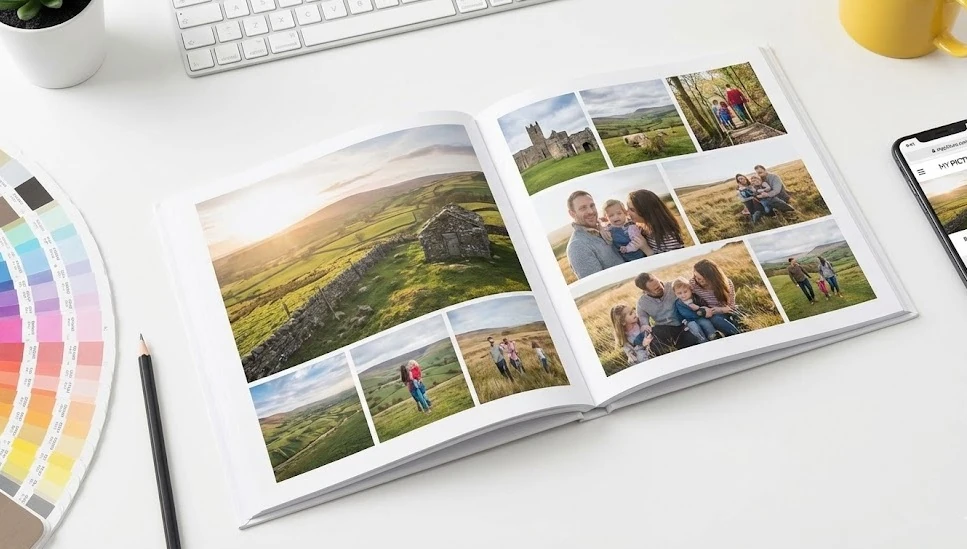
A wedding photo album is one of the most treasured keepsakes from your big day. It preserves not just the grand moments, the first kiss, the exchange of rings, but also the small, easily forgotten details: the table settings, the flower arrangements, the look on your father's face during the speeches.
Tell the Full Story
The best bridal photo album follows the day from start to finish. Begin with getting-ready shots: the dress hanging by the window, shoes lined up, bridesmaids laughing in the mirror. Move through the ceremony, capturing wide shots of the venue alongside close-ups of emotional reactions. Dedicate several pages to the reception, group photos, and the first dance. End with evening candids and sparkler exits.
Professional wedding photographers like David Bailey have long championed the idea that the most powerful wedding images are often the unposed ones. Include a mix of formal portraits and candid moments to create a photo album that feels alive rather than staged.
Layout Tips for Wedding Albums
Give your ceremony photos generous space. A full-bleed double-page spread of the couple at the altar creates a stunning centrepiece. Use smaller grid layouts for group shots and detail photos. Consider a clean, minimal design with plenty of white space, which gives the album a timeless, elegant feel.
For the cover, choose a single iconic image or opt for a simple text-based design with your names and wedding date. A hardcover photo book with a lay-flat binding is ideal for wedding albums, as it allows images to span across the full spread without being lost in the spine.
Adding Personal Touches
Include your wedding vows, a favourite reading from the ceremony, or short captions describing what was happening in each photo. These text elements add context that future generations will appreciate. You might also dedicate a page to loved ones who could not be there on the day.
Creating a Baby Photo Album to Treasure Forever
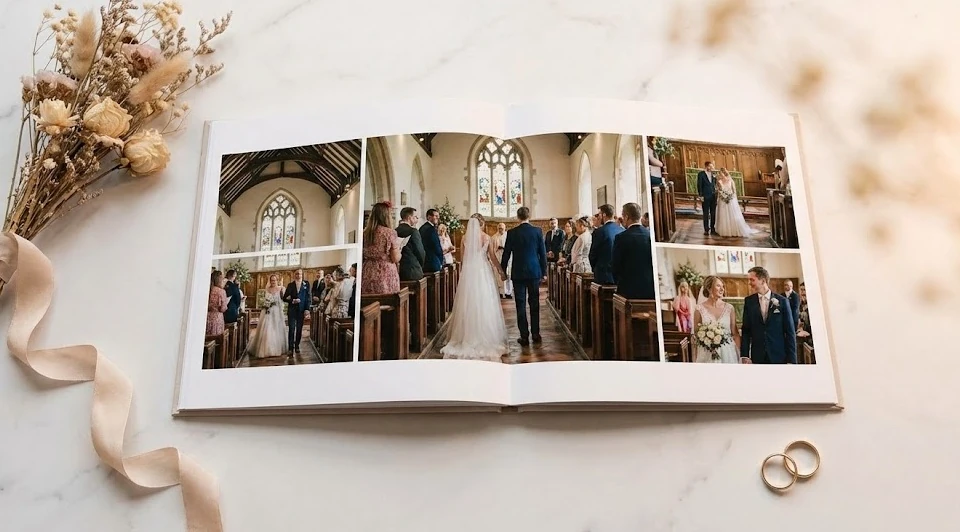
Few things in life change as quickly as a baby's first year. One week they are a tiny newborn; the next, they are crawling, babbling, and pulling themselves up on furniture. A baby photo album captures these fleeting stages in a way that a camera roll simply cannot replicate.
Milestones Worth Documenting
Structure your baby album around key milestones: the first smile, sitting up unaided, first foods, first tooth, first steps, and the first birthday. Between these landmarks, include everyday moments that show your baby's personality: bath time giggles, messy mealtimes, napping in unusual positions, and the quiet cuddles that make parenthood so special.
Pair milestone photos with brief notes about when each moment happened. "First laugh: 14 weeks, watching the dog chase its tail" is the kind of detail you will absolutely forget in five years but will love reading back. A personalised photo album becomes a time capsule when you add these small, specific details.
Practical Design Choices
For a baby photo album, softer colour palettes work beautifully. Think pastel backgrounds, gentle fonts, and rounded design elements. Leave space on each page for handwritten notes if you plan to add them after printing, or include text directly in your digital layout.
A square format works particularly well for baby albums, as it suits both portrait and landscape photos without excessive cropping. If you are looking for inspiration on layouts and themes, our guide on how to create a baby photo album walks you through the process in detail.
Printed Photo Albums vs. Digital Photo Books: Which Is Right for You?
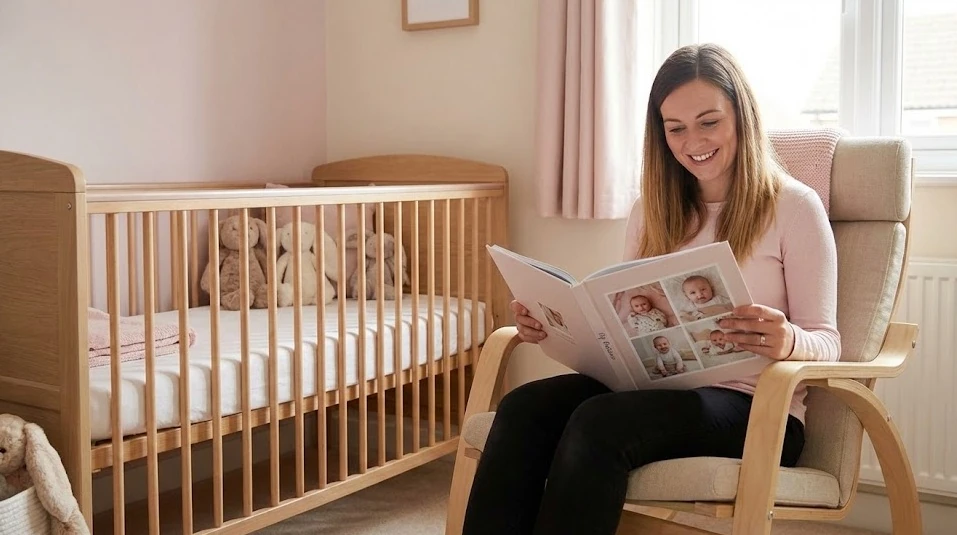
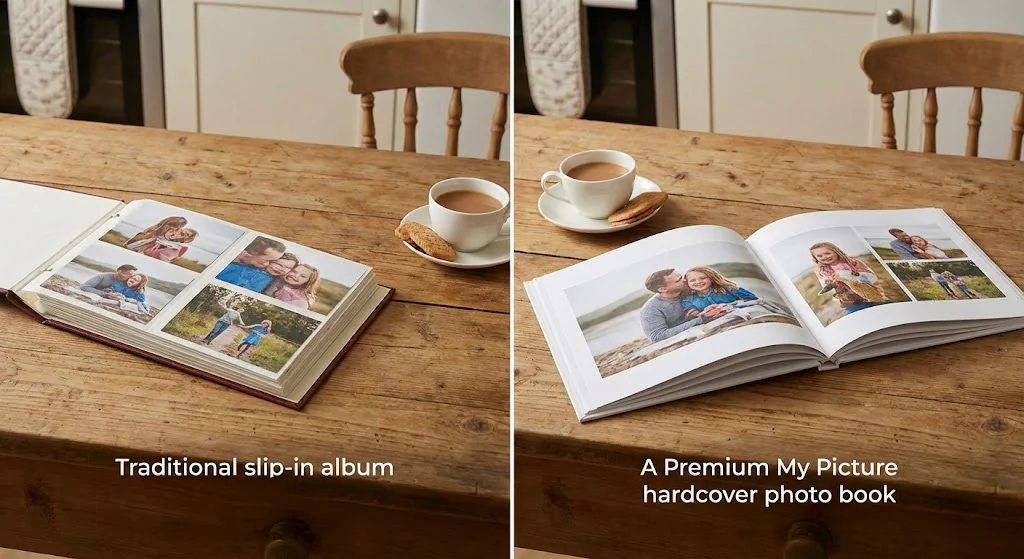
The terms "photo album" and "photo book" are often used interchangeably, but there are meaningful differences between traditional album formats and modern digitally designed photo books. Understanding these differences helps you choose the best option for your project.
Comparison Table: Traditional Photo Albums vs. Printed Photo Books
| Feature | Traditional Photo Album | Printed Photo Book |
|---|---|---|
| Photo insertion | Slip-in pockets or adhesive corners | Professionally printed directly onto pages |
| Design flexibility | Limited to pocket layout | Full custom layouts, backgrounds, and text |
| Print quality | Depends on your home printer | Professional-grade, high-resolution printing |
| Durability | Photos can slip out or fade | Bound pages with UV-resistant inks |
| Personalisation | Manual arrangement only | Digital design tools with templates |
| Best for | Quick, casual collections | Polished, gift-worthy keepsakes |
| Price range | £5–£30 for the album itself | £15–£60 depending on size and pages |
When to Choose a Printed Photo Book
If you want a polished, professional result that looks and feels like a coffee table book, a printed photo book is the clear winner. The pages are thick, the colours are vibrant, and the binding holds everything together securely. Modern photo book makers offer intuitive online design tools that let you drag and drop images, adjust layouts, and add text without needing any design skills.
For occasions like weddings, milestone birthdays, and family reunions, a printed photo book elevates your memories into something genuinely special. With My Picture, you can create photo books online with professional results, backed by over 350,000 satisfied customers and a 4.8 out of 5 star rating from more than 95,000 reviews.
When a Traditional Album Works
Traditional slip-in albums still have their place. A 6x4 photo album is perfect for quickly organising printed holiday snaps or school photos. They are also a lovely option for children to handle, as individual photos can be removed and replaced without damaging the album. If you enjoy the hands-on process of arranging physical prints, a traditional album offers a satisfying, tactile creative experience.
How to Create Your Own Photo Book in 6 Simple Steps
Making your photos into a book is far easier than most people expect. You do not need design experience or expensive software. With a good photo book maker and a clear plan, you can go from a collection of digital photos to a beautifully printed album in an afternoon.
Step 1: Gather and Organise Your Photos
Start by collecting all the images you want to consider. Pull them from your phone, camera, cloud storage, and social media accounts into a single folder on your computer. Delete obvious duplicates and any images that are too dark, blurry, or poorly composed to print well.
Tip: Most photo books look best with 40 to 80 images. For a wedding album, you might use 80 to 120. Having a target number helps you make decisions during the editing stage.
Step 2: Choose Your Photo Book Format and Size
Consider what the album is for and where it will live. A large A3 landscape format makes a stunning coffee table book for wedding photos. A compact A5 portrait format is perfect for a travel diary or a baby photo album you want to carry in a bag. Square formats offer a modern, Instagram-friendly aesthetic.
Think about page count, too. Most photo book printing services offer between 24 and 100 pages. Start with 40 pages and adjust as you design.
Step 3: Select a Design Template
A good template gives you a professional starting point. Look for layouts that match your album's mood: clean and minimal for weddings, playful and colourful for children, bold and graphic for travel. Most online photo book tools, including the one at My Picture, offer a range of customisable templates that you can adapt to suit your style.
Tip: Stick to one or two templates throughout the book for visual consistency. Switching styles on every page creates a chaotic, disjointed feel.
Step 4: Arrange Your Photos and Design Each Spread
Upload your curated photos and begin placing them into the template. Think about visual flow: alternate between full-page hero images and multi-photo grid layouts. Place your strongest, most emotional images on right-hand pages, as the eye naturally lands there first when turning a page.
Leave breathing room around your photos. White space is not wasted space; it draws attention to the images and gives the design a polished, gallery-like quality.
Step 5: Add Text, Captions, and Personal Details
This is where your photo album becomes truly personalised. Add dates, locations, funny quotes, or short descriptions beneath key images. For a wedding album, include the order of service or a line from your vows. For a travel book, note restaurant names, local phrases you learned, or the story behind a particular photo.
Keep text brief and consistent in style. A clean sans-serif font in a neutral colour works for most albums. Avoid overly decorative fonts that compete with your images.
Step 6: Review, Order, and Enjoy
Before placing your order, review every page carefully. Check for spelling errors, cropped faces, and low-resolution warnings. Ask a friend or partner to look through it with fresh eyes.
Once you are happy, place your order. With a trusted UK photo book service like My Picture, which is Made in Germany and holds ISO 9001:2015 certification, you can expect exceptional print quality and reliable delivery. Your finished photo album will arrive ready to display, gift, or simply sit down with and enjoy.
Tips for Making Your Photo Album Look Professional
Even without formal design training, a few simple principles can elevate your photo album from good to genuinely impressive. These tips apply whether you are creating a wedding photo album, a baby photo album, or a general family album of photographs.
Consistency Is Everything
Choose a colour palette for your backgrounds and stick to it throughout the book. If your wedding photos have warm, golden tones, use cream or soft beige backgrounds. If your travel photos are vibrant and saturated, a white or light grey background lets the colours pop without competing.
Use the same font family, text size, and alignment style on every page. This kind of visual consistency is what separates amateur-looking albums from professional ones.
Use the Rule of Thirds
When placing photos on a page, avoid centering everything symmetrically. Offset your main image slightly to one side, and balance it with smaller photos or text on the opposite side. This creates visual interest and guides the reader's eye naturally across the spread.
Print a Test Page
If your photo book maker offers a preview or proof option, use it. Colours on screen can look different in print, particularly on matte paper. A quick review of a single printed page can save you from disappointment with the final product.
Consider Complementary Products
Your favourite images from the album can also work beautifully as standalone wall art. A hero shot from your wedding, printed as a canvas print, makes a striking focal point in your living room. Or turn a selection of baby milestone photos into photo collage on canvas for the nursery wall. These pieces complement your album and bring your favourite memories into your everyday living space.
For more ideas on displaying your photos beyond the album, have a look at our guide on photo album ideas.
Where to Order the Best Photo Books in the UK
With so many photo book printing services available, choosing the right one matters. Print quality, paper options, binding styles, delivery speed, and customer support all vary significantly between providers. Here is what to look for when ordering photo books online in the UK.
What to Look For in a Photo Book Service
- Print quality: Look for services that use professional-grade digital printing with high colour accuracy. Archival-quality inks ensure your photos will not fade over time.
- Paper choices: Premium services offer a choice between glossy, matte, and satin finishes. Each has a different look and feel, so consider which suits your photos best.
- Binding options: Lay-flat binding is essential for wedding and landscape albums, as it allows images to span across the full spread. Perfect binding works well for thicker books.
- Customisation: The best photo book makers let you fully customise layouts, backgrounds, text, and page order rather than locking you into rigid templates.
- Customer reviews: Trustworthy services have verified reviews. My Picture, for example, holds a Feefo Gold Trusted Service award and has been named Best Photo Service UK 2023, with Which? Recommended Provider status.
- Sustainability: FSC Certified paper and responsible production practices matter. My Picture uses FSC Certified materials, so your photo album is kinder to the environment.
Quick Comparison: UK Photo Book Services
| Feature | My Picture | High Street Chains | Budget Online Services |
|---|---|---|---|
| Print quality | Professional-grade, Made in Germany | Good | Variable |
| Paper options | Glossy, matte, satin | Usually 1-2 options | Limited |
| Lay-flat binding | Available | Sometimes | Rarely |
| Design flexibility | Full customisation | Template-based | Basic templates |
| Customer rating | 4.8/5 (95,000+ reviews) | 3.5–4.2/5 | 3.0–3.8/5 |
| Certifications | ISO 9001:2015, FSC, Made in Germany | Varies | Few |
| Delivery to UK | Fast, tracked delivery | In-store collection | Standard post |
For a deeper dive into print quality and service comparisons, our article on best online photo printing covers everything you need to make an informed decision.
Conclusion
A personalised photo album is more than a collection of pictures. It is a story you have chosen to tell, a gift of time and thought, and a physical object that connects you to the people and moments that matter most. Whether you are creating a wedding photo album to relive your most special day, a baby photo album to watch your child grow, or a simple book of pictures from a year well lived, the process of making your photos into a book is deeply rewarding.
The steps are straightforward: gather your best photos, choose a format, design your layouts with care, add personal touches, and order from a trusted photo book service. With My Picture, you get professional-quality printing, full creative control, and the peace of mind that comes from a company trusted by over 350,000 customers across the UK.
Your memories deserve more than a phone screen. Give them the album they deserve.
Frequently Asked Questions About Photo Albums
-
A well-balanced photo album typically contains between 40 and 100 photos, depending on the size and purpose. Wedding photo albums often include 80 to 120 images to capture the full day, while a baby photo album or travel book works beautifully with 50 to 70. Focus on quality over quantity, and give your strongest images space to breathe on the page.
-
The best size depends on your intended use. A large A3 or 30x30 cm format is ideal for wedding albums and coffee table books. A4 is a versatile all-rounder for family albums and travel books. Smaller A5 formats work well for compact keepsakes or gifts. Consider where the book will be displayed and how often it will be handled.
-
A professionally printed photo book made with archival-quality inks and premium paper can last 100 years or more when stored properly. Keep your album away from direct sunlight, extreme temperatures, and high humidity. This longevity is one of the key advantages of printed photo albums over digital files, which depend on technology that may become obsolete.
-
Yes, most modern photo book services, including My Picture, allow you to upload photos directly from your smartphone. Simply select your images, choose a template, and design your album using the online editor. For the best print quality, ensure your phone photos are taken at the highest resolution setting and avoid heavily filtered or compressed images.
-
A traditional photo album uses slip-in pockets or adhesive mounts to hold individual printed photos. A photo book is a professionally printed and bound book where images are printed directly onto the pages, often with custom layouts, backgrounds, and text. Photo books generally offer higher quality, greater design flexibility, and better durability than traditional albums.
-
Prices for photo books in the UK typically range from £15 to £60, depending on the size, number of pages, paper quality, and binding style. Premium hardcover photo books with lay-flat binding sit at the higher end, while softcover or smaller formats are more affordable. My Picture offers competitive pricing with frequent promotions, making professional-quality photo books accessible for every budget.